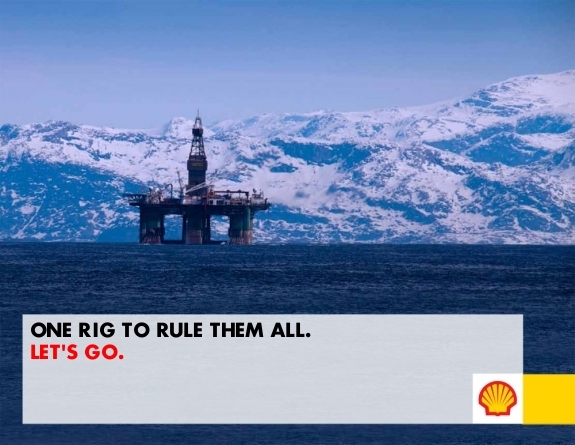
It is absolutely ridiculous how much fun I had making these Anti-Cruelty signs. I was laughing maniacally under my breath while I was coming up with little phrases to type into
Peta2's clever little generators. It actually impressed me how realistic these signs look. While I am more involved with the McCruelty campaign, mostly because there are more McDonald's restaurants in my area, the
Kentucky Fried Cruelty Generator signs looked more like an actual photo to me. Maybe that's because there were cars in most of the images. I don't know. That is not to say that the
McCruelty Sign Generator designers didn't do a good job, because they certainly did.
Now, if you click the links to the generators, you can type in up to 3 lines of text to display in the store sign. If you want to save and share your pictures on Twitter, Facebook, Tumblr, or whatever, you'll need to use a screenshot. Just in case you aren't sure how to do that, I'll explain.
Step 1. Using the scroll wheel on your mouse, or the scroll buttons on the side of your browser, adjust the screen so that your Anti-Cruelty image is clearly in view. It is best to leave a visible margin of the webpage around your image.
Step 2. Locate the Print Screen button on your keyboard. It is usually toward the upper right-hand corner. It might be abbreviated to something like "PrtSc" depending on the maker.
Step 3. Push the Print Screen button.
Step 4. Open a new project in Paint, which comes pre-installed on most computers.
Step 5. In Paint, click the button says "Select" on it, and displays a dotted-lined rectangle.
Step 6. Using the select tool, right click anywhere in the empty project. A screenshot of the page with your Anti-Cruelty sign will appear.
Step 7. Left click on the selected screenshot, and drag it toward the upper left-hand corner of your project until only the Anti-Cruelty sign is in view in that corner.
Step 8. Left click anywhere within the image, but outside the the selected screenshot to deselect it.
Step 9. Using the scroll bars, scroll to the bottom right-hand corner of the image.
Step 10. Click and drag the small white box in the corner up and to the left until only your Anti-Cruelty sign is visible. Make sure that the borders are even.
Step 11. Click the "Save As" button, and save your image, preferable as a PNG. This will keep your image quality nice so that everyone will be able to clearly read your Anti-Cruelty message!
Step 12. Upload your image to all your favorite social networks, or email your image to share it with all your friends! Make sure you include a link to the
McCruelty or
Kentucky Fried Cruelty websites so your friends can get more information and make their own Anti-Cruelty Signs.
Alright. I hope that little tutorial was helpful, and that you have as much fun making your Anti-Cruelty signs as I did! For any of you who are members of the
Peta2 Street Team, make sure you go to the
"Take Action" page, and turn in a screenshot of the website where you shared your sign for Street Team Points!